
Triggers Page
Select a workflow, then configure API, Manual, Event, or Schedule start methods.
Open Trigger Settings
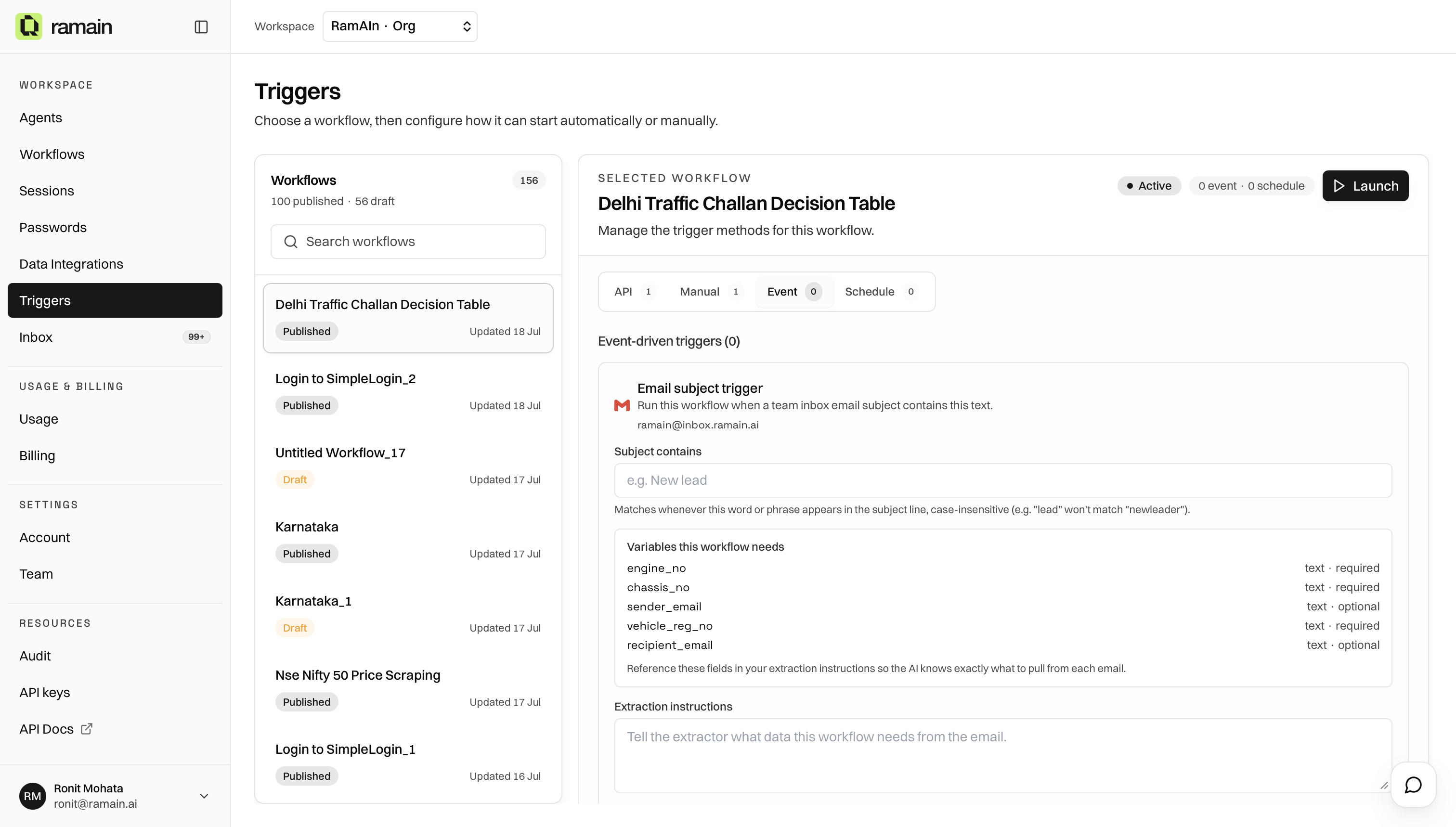
Go to Triggers in the Workspace sidebar. The page has two panels: a workflow list on the left and trigger settings for the selected workflow on the right.
Choose A Workflow
- Browse or search the workflow list.
- Click a workflow row. Saved workflows and drafts can both appear.
- Review the right panel for workflow ID, selected workflow, active status, event or schedule counts, and a Launch button.
Trigger Tabs
Draft workflows can be selected, but Event and Schedule create actions remain blocked until a valid graph is saved and enabled.
Was this page helpful?